Using technology daily is no longer just a convenience – it’s essential. Miracle-Ear’s connectable hearing aids with Bluetooth technology are designed to help ease virtual interactions by streaming sound straight from a technology source and into your ear. Hearing aids with Bluetooth can help you stay connected, whether that’s through a work call, a family Zoom session, or while watching your favorite show.
Join the millions of Americans who have trusted Miracle-Ear for hearing care that’s tailored to their needs.
Bluetooth technology covers a wide range of functions. You might have used it to connect a smartphone to a speaker, but it can also be used to connect your hearing aids to compatible devices. Hearing aids with Bluetooth technology simplify sound reception from audio sources by relaying sound directly to the hearing aid from the device.
Miracle-Ear’s hearing aids with Bluetooth stream sound straight from a technology source into your ear. Whether you’re watching TV or talking on the phone, the sound will stream from the monitor using radio waves with no intermediary device needed.
RIC models include:
These RIC connectable hearing aids are equipped with personalized hearing and natural sound quality, with discreet designs. They provide fully featured Bluetooth connectivity for you to use for music, calls, and TV. The Miracle-EarCONNECT RIC 312 model has a newly designed rocker switch and optional telecoil, which makes it a great option for people who value discretion in a high-performing device.
BTE models include:
With adaptive directional microphones, the BTE connectable hearing aids harmonize your voice and surrounding sounds to provide natural sound quality and speech understanding in noise. The Miracle-EarCONNECT BTE S 13 has a slightly larger size for easy handling and fits comfortably behind the ear. The Miracle-EarCONNECT BTE P 13 has a slim, sleek profile for ultimate discretion. Both are designed to adapt to your individual hearing needs.
Miracle-Ear Bluetooth rechargeable hearing aids come with lithium-ion batteries. These batteries provide more than 12 hours of battery life and will recharge during the night with ease.
Hearing aids with Bluetooth technology allow for a seamless experience with other devices, and there are many benefits to using connectable technology. You can easily switch between many connected devices and use the remote control for your hearing aid programs and settings. A standard protocol means there will be a uniform functionality across your devices, and you’ll still have the discretion of a small hearing aid. The hearing aid also provides a personalized listening experience based on your environment.
For daily use, the adaptable listening experience can help in a variety of situations. Hearing aid streamers allow you to set your TV’s volume at the correct level for your hearing aids, which may be different than the volume coming from the TV’s speakers. This can prevent arguments with family about the volume level, and you won’t need to worry about sound distortion either. You also have the option to stream sound to just one hearing aid instead of both.
Talking on the phone will be easier as well, since Bluetooth will stream sound signals directly to the hearing aid. Data transmission goes straight to your ear, and when you hang up, you can switch your connected device to your TV or computer.
Hearing aids with Bluetooth also eliminate the need for headphones, since these hearing aids can act as earbuds for your music, podcasts, or any other audio. You can think of your hearing aids like wireless earbuds and forget about headphone cords getting in the way. You’ll also save money – there’s no need to purchase a separate Bluetooth headset for hearing aid wearers.
Though Bluetooth is an advanced technology, you don’t have to be an expert to utilize Bluetooth connectivity with your hearing aids. To connect a device, look for the Bluetooth symbol found in a device’s settings, and make sure it’s turned on. Your hearing aid will be listed as one of the compatible devices, and all you have to do is click. Your hearing aids will then be able to connect to any of your other devices.
Bluetooth technology is safe, secure, and reliable. With the help of hearing aids with Bluetooth, you’ll be able to make the most out of your relationships, stay productive at work, and enjoy your downtime.
We offer solutions that transform hearing, from nearly invisible, comfortable designs to robust AI technology.
Bluetooth hearing aids offer many modern conveniences, such as wireless streaming and hands-free calling, but they also come with a few disadvantages that users should consider before making a decision.
One of the main drawbacks is increased battery consumption. Streaming audio from smartphones, TVs, or other devices via Bluetooth drains the battery more quickly than standard use. This means users may need to charge their hearing aids more frequently or replace disposable batteries sooner than expected.
Another potential issue is connectivity limitations. Bluetooth performance can vary depending on the brand of hearing aid and the type of device it’s paired with. Not all hearing aids are compatible with every smartphone or tablet, and pairing issues can arise. Connection dropouts or delays in audio transmission are also possible, especially in environments with multiple competing wireless signals.
From the state of New Jersey, Deborah shares how Miracle-Ear's cutting-edge hearing aids have transformed her life.
Bluetooth hearing aids may also have a steeper learning curve for those who are not comfortable with technology. Managing settings through apps, pairing with devices, and troubleshooting connectivity can be confusing for some users, particularly older adults who may not be familiar with smartphones or Bluetooth features.
Latency—a slight delay between sound input and output—can be noticeable during certain activities, such as watching videos or using voice assistants. While minimal, this lag can be distracting.
Finally, Bluetooth functionality tends to increase the cost of hearing aids, as the technology adds extra features and complexity. For users who do not need streaming or app-based controls, these added expenses may not offer enough value to justify the investment.
Connecting your hearing aids to a TV via Bluetooth can enhance your listening experience by streaming sound directly into your ears.
To start, make sure your hearing aids support Bluetooth audio streaming. Most modern models do, but some may require a compatible accessory, such as a TV streamer. Next, check if your TV has built-in Bluetooth. If it does, access the TV's settings menu and turn Bluetooth on. Put your hearing aids into pairing mode—this may involve using an app or a specific button sequence, depending on the model. Once the TV detects your hearing aids, select them from the list of available devices to complete the pairing process.
If your TV doesn’t support Bluetooth, you can use a Bluetooth transmitter that connects to the audio output jack on your TV. This device will send the audio signal wirelessly to your hearing aids, as long as they are in pairing mode and within range. Keep in mind that some setups may introduce a slight audio delay. Adjusting settings in your TV’s audio menu or using a transmitter with low-latency can help improve synchronization.
Once connected, you can enjoy clear, personalized TV sound without turning the volume up too high for others in the room.
Janet's hearing journey is unique—just like her needs as a singer. With help from Miracle-Ear’s Kim Johnson, she found hearing aids and settings that helped her hear clearly again.
On average, Bluetooth hearing aids in the U.S. vary widely in cost depending on their features and whether they're over-the-counter (OTC) or prescription models:
So, what determines the price?
Connecting hearing aids to Bluetooth enables seamless audio streaming and hands-free communication.
The process typically begins by accessing the Bluetooth settings on your smartphone, tablet, or computer. Ensure that the device’s Bluetooth is turned on. Then, navigate to the hearing aid settings in your device’s accessibility or audio menu, where you can initiate the pairing process. Most modern hearing aids enter pairing mode automatically when powered on, especially after being turned off and on again. If they do not, consult your user manual for instructions on how to activate pairing mode.
Once the hearing aids appear in the list of available devices on your screen, select them to complete the connection. After pairing, audio from calls, music, and other media will stream directly to the hearing aids. Some devices allow you to adjust settings such as volume or sound balance from a dedicated app or the device’s control panel.
It’s important to keep both the software on your phone and the firmware on your hearing aids up to date for optimal performance. If the connection drops or isn’t successful, restarting both the device and the hearing aids can often resolve the issue. Keep Bluetooth range in mind—staying close to the connected device ensures better signal stability and sound quality.
To connect hearing aids to Bluetooth on an iPhone, start by ensuring that Bluetooth is enabled in the phone’s settings.
Open the Settings app, tap on "Bluetooth," and toggle it on if it isn't already. Next, go to the "Accessibility" menu under Settings and select "Hearing Devices." Turn your hearing aids off and back on to activate pairing mode. Some models may require a specific action to enter pairing mode, so check the device's instructions if necessary. Once in pairing mode, your iPhone should detect the hearing aids automatically. They will appear on the screen under "Devices"—tap on their name to pair.
If the hearing aids don’t appear, try turning Bluetooth off and on again, or restarting the phone. For best performance, keep your iPhone nearby and ensure that it’s running the latest iOS version.
You can also monitor battery levels and adjust volume settings directly from the phone for added convenience. This setup supports a more integrated and accessible audio experience.
To connect hearing aids to Bluetooth on an Android device, begin by opening the phone’s Settings and selecting the “Bluetooth” option. Make sure "Bluetooth" is turned on. Then, place the hearing aids in pairing mode—this usually involves turning them off and on again, but specific instructions may vary depending on the model.
Once the hearing aids are in pairing mode, they should appear under “Available Devices” in the Bluetooth menu. Tap on their name to start the connection process. A confirmation message may appear; follow the prompts to complete the pairing. After successfully connecting, your hearing aids will be able to stream audio directly from the phone. This includes notifications, videos, music, and, more importantly, phone calls.
When receiving or making a call, the audio will be transmitted through the hearing aids, allowing for clearer, hands-free communication. You can speak using the phone’s built-in microphone or an external mic, depending on your setup. You can manage connection settings through the Accessibility menu, where you may find additional customization options such as audio balance and streaming preferences. If the devices disconnect, try restarting both the phone and the hearing aids. Staying within Bluetooth range will help maintain a stable connection throughout use.
Over-the-counter (OTC) Bluetooth hearing aids offer a more accessible option for adults who believe they have mild to moderate hearing loss. These devices can be purchased without a clinical fitting or hearing test, which can lower upfront costs but also means users miss out on personalized support and guidance. While Bluetooth functionality allows for audio streaming from smartphones, tablets, and computers, performance can vary based on the device and user setup.
Most OTC hearing aids are self-fitting, meaning individuals must adjust their settings through a mobile app or on the device itself. This do-it-yourself approach may appeal to tech-savvy users, but it can be frustrating for those seeking a smoother, more reliable experience. Setup often comes with a learning curve, and without professional support, fine-tuning for optimal hearing in real-world environments-- like noisy restaurants or group conversations-- can be a challenge. Battery life also varies, especially when streaming frequently, and poor maintenance can reduce performance over time.
Ultimately, while OTC Bluetooth hearing aids offer convenience and control, they may fall short for individuals with more advanced hearing loss or anyone looking for tailored care, ongoing support, and long-term satisfaction. For many, the added value of professional services and advanced technology makes a prescription device a more worthwhile investment.

Affordable Bluetooth hearing aids can be safe, provided they meet certain quality and regulatory standards. Devices that are registered with health authorities (such as the FDA) and comply with local safety regulations are generally considered reliable. Always check for certification or approval before purchasing.
Lower-cost hearing aids often use basic Bluetooth technology to stream audio and connect with mobile devices. While they may not offer advanced features like automatic sound adjustments or high-end noise reduction, they can still provide some support for mild to moderate hearing loss. Safety concerns typically arise with very cheap, unregulated products sold online without clear manufacturer information. These devices might amplify sound excessively, lack volume control, or deliver poor audio quality, which can cause discomfort or further hearing damage over time.
When considering affordable options, it’s important to look at user reviews, warranty details, and return policies. Some budget-friendly models include access to customer support or mobile apps that help with setup and adjustments. While they’re not a replacement for medically prescribed hearing aids in complex cases, affordable Bluetooth models can be a safe and useful choice for those seeking basic amplification and wireless convenience.
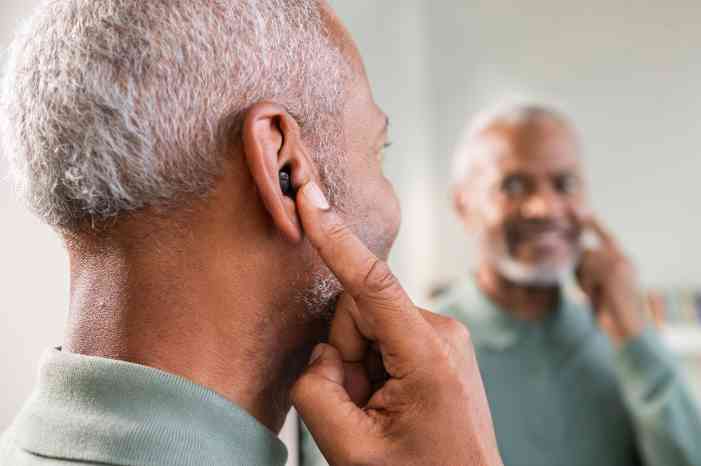
Invisible hearing aids with Bluetooth offer a discreet and modern solution for individuals with hearing loss who value both aesthetics and connectivity. Designed to sit deep within the ear canal, these in-ear devices are nearly undetectable when worn, making them an appealing choice for those who prefer a more private approach to hearing support.
Despite their small size, many invisible models now include Bluetooth functionality, enabling users to stream audio directly from smartphones, tablets, or other compatible devices. This includes phone calls, music, podcasts, and GPS directions, all delivered straight to the ear without the need for additional accessories. Because they sit closer to the eardrum, in-ear hearing aids can provide more natural sound perception and better localization of where sounds are coming from. The snug fit also reduces wind noise and feedback, enhancing listening comfort in different environments. Users can often control settings like volume and program modes through a smartphone app, allowing for discreet adjustments without touching the device itself. This makes it easier to adapt to changing sound environments throughout the day.
While invisible hearing aids with Bluetooth tend to be more compact, they still offer impressive functionality for those prioritizing both performance and discretion in a single device.
Rechargeable Bluetooth hearing aids combine convenience with modern technology, offering several key advantages over traditional battery-powered models.
One of the main benefits is the elimination of disposable batteries. This not only reduces ongoing costs but also simplifies daily use, especially for those with limited dexterity or vision. With built-in Bluetooth, these devices can stream audio directly from smartphones, tablets, and other compatible electronics. This includes calls, music, and media, allowing users to stay connected without the need for separate accessories. Rechargeable models typically come with charging cases or docking stations, making it easy to power them overnight and use them throughout the day. Battery life in these devices is designed to support a full day of use, even with regular audio streaming. This reduces the need to carry spare batteries or worry about losing power during important conversations or activities.
Additionally, rechargeable hearing aids are generally sealed more tightly, making them more resistant to moisture and dust. This contributes to improved durability and lower maintenance over time. They are also more environmentally friendly, producing less waste compared to single-use battery models.
Overall, rechargeable Bluetooth hearing aids offer a user-friendly, sustainable, and technologically advanced solution for daily hearing support.

Bluetooth hearing aid technology integrates wireless communication with advanced audio processing, enhancing both usability and sound quality. At the core of this system is a Bluetooth transmitter, either built into the hearing aid or connected externally, which enables the device to receive audio signals from smartphones, tablets, computers, and other compatible electronics.
Hearing aids with Bluetooth capabilities allow users to stream calls, music, and other media directly to their ears, improving clarity and reducing background noise. This technology creates a seamless link between the hearing aid and the digital world, supporting hands-free conversations and effortless audio access.
Learn more about how your hearing works from certified experts.
Key components typically include a digital signal processor (DSP), a miniature Bluetooth chip, and a rechargeable or replaceable power source. The DSP analyzes incoming sound and optimizes it for the user’s specific hearing profile, while the Bluetooth chip manages wireless connectivity. Many models also incorporate built-in microphones, which pick up ambient sound or the user’s voice during phone calls or in-person conversations. Some devices offer directional microphone settings, helping focus on speech in noisy environments.
Together, these components provide a more natural and connected listening experience. As Bluetooth hearing aid technology continues to evolve, users benefit from greater control, improved audio quality, and enhanced accessibility in daily communication.




 Learn how tomorrow's hearing aids can help you today




 Find your closest Miracle-Ear center







.jpg/jcr:content/renditions/cq5dam.web.700.700.jpeg)