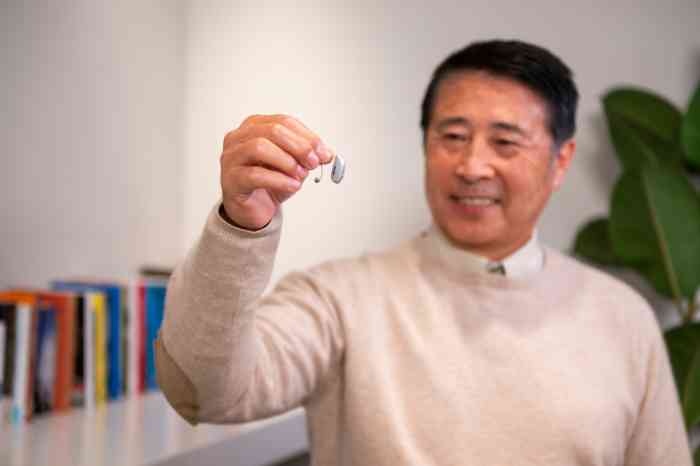
Whenever you’re about to leave the house, you likely run through a quick mental checklist to ensure you’re you’ve grabbed the essentials for your day: cell phone, wallet, keys, etc. But are you checking to ensure you have both of your hearing aids?
It may sound surprising, but a lost hearing aid is much more common than you might think. One of the virtues of modern hearing aids is that they’re quite small. While that makes them more comfortable and discreet, it also means they can easily be misplaced. Thankfully, new hearing aid technology comes with more than just the tools to support your hearing—it can also help you find misplaced or lost hearing aids.
Many modern hearing aids offer tracking features through smartphone apps, making finding a lost hearing aid easier and saving you from frantically searching your home or needing to replace your devices altogether. Learn what to do when you realize your device is missing and how to find a lost hearing aid quickly and easily.
If you’ve noticed you’ve lost a hearing aid, don’t panic. The key to your search might be in the palm of your hand. Modern hearing aids, including Miracle-Ear hearing aids, can be connected to a smartphone app that can help you locate your devices. This can be a crucial tool and should be your first step in locating the lost hearing aid if a quick search of your immediate area doesn’t reveal the device.
App function and design may vary slightly between hearing aid models and manufacturers, but most modern pairs of hearing aids include this technological feature to help start your search.
We offer solutions that transform hearing, from nearly invisible, comfortable designs to robust AI technology.
The Miracle-Ear app—available for both iOS and Android devices—provides Miracle-Ear hearing aid users with the tools they need to personalize and improve their hearing experience. Another key feature of the Miracle-Ear app is its lost hearing aid finder. Using the Find My Hearing Aids location feature, app users can locate lost hearing aid(s) by using the system’s GPS location services whenever the hearing aids aren’t connected to the mobile app.
If you have enabled GPS settings on your smartphone and have paired your phone and hearing aids at least once, the app will display the last known GPS location of your hearing aids. To track the location of your hearing aids in the Miracle-Ear app:
Once you’ve selected “Find My Hearing Aids, your app will display a map of the GPS location of your hearing aids. For the best possibility of finding your devices, keep the app open or active in the background so your devices can stay connected and provide the most accurate information to locate your hearing aids. If you have questions, a hearing care professional at Miracle-Ear can show you how to navigate the app.
Still can’t find your hearing aids? It might seem like the painfully obvious suggestion, but retracing your steps can be the next best way to find a lost hearing aid if the hearing aid app isn’t available or isn’t installed. As you walk back through your day, think carefully about where you last had your hearing aids and what you were doing when you realized that they were lost.
Ask yourself these questions to narrow down when you might have lost your device:
If you’re having trouble remembering your movements throughout the day, ask a friend, family member, or coworker to help jog your memory.
Lost or damaged hearing aids aren’t inevitable, but you still want to be protected in a worst-case scenario. That’s why Miracle-Ear offers a three-year warranty on almost all hearing solutions, providing repairs or replacements for accidentally lost or damaged hearing aids.
If you cannot find your hearing aids, you can request a replacement at any authorized Miracle-Ear location, using the Miracle-Ear warranty. Be prepared to share how the loss occurred and provide a notarized statement to verify the circumstances, as well as your contact information and the serial number of the lost hearing aid. Review the terms of your warranty with your hearing care specialist if you have questions about your replacement hearing aid options.
Learn about Bluetooth hearing aids! With Bluetooth® technology, your hearing aids become a gateway to a richer life.
It’s important to know what to do in the case of a lost hearing aid, but avoiding the situation altogether is even better. Here are a few tips for hearing aid loss prevention:
Losing a hearing aid can be a scary feeling, but there are solutions to make sure your hearing is still protected. Schedule an appointment with a hearing care specialist at your local Miracle-Ear to learn more about how you can prevent hearing aid loss before it happens.



 Learn how tomorrow's hearing aids can help you today

 Find your closest Miracle-Ear center